Livechat
Live chat, tickets and a help center in one support workspace
Overview
Project Task
TrustChat is a customer support platform that brings live chat, tickets and a help center into one workspace. The goal of this project was to design the whole product end to end: the chat widget customers see on a website, and the dashboard where support teams answer conversations, manage tickets, organise agents and publish help content.
Challenge
But here's where it got interesting
- 01
Two Very Different Users
Customers need a chat widget that is instant and familiar, while agents spend all day in the dashboard and need speed, context and control. Both sides had to feel like the same product.
- 02
Conversations From Every Channel
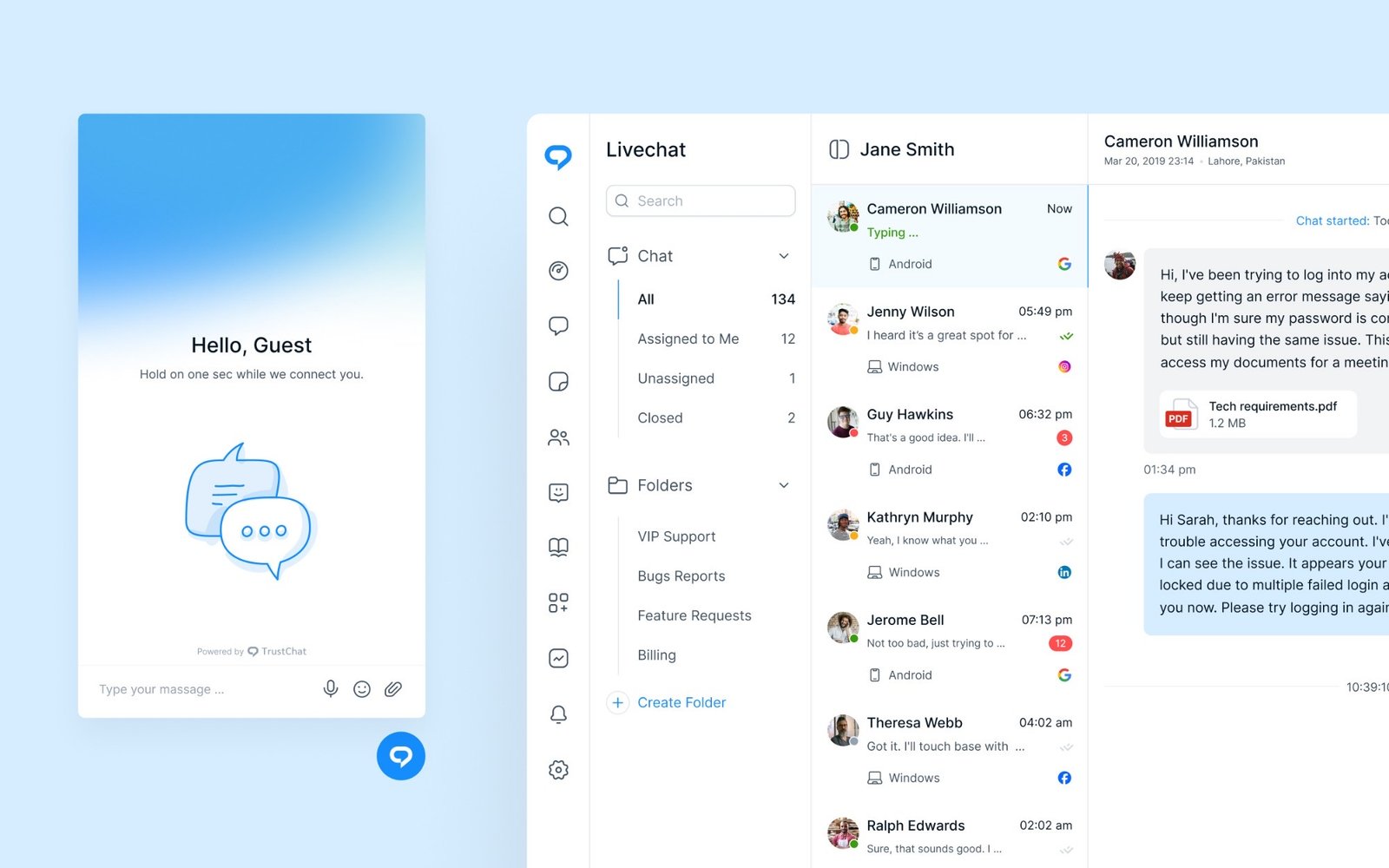
Messages arrive from the website widget, Instagram, Facebook, WhatsApp, Google and email. Agents needed every conversation in one place, with the channel and device clear at a glance.
- 03
Teams That Grow
As support teams grow, managers need to assign roles, organise agents into groups, set chat limits and stop two agents replying to the same customer.
Solution
Tackling the Challenge
We designed TrustChat as one connected system, from the first message in the widget to the ticket, the agent who picks it up and the article that answers it next time:
Process
APPROACH
- 01
A Widget Customers Trust
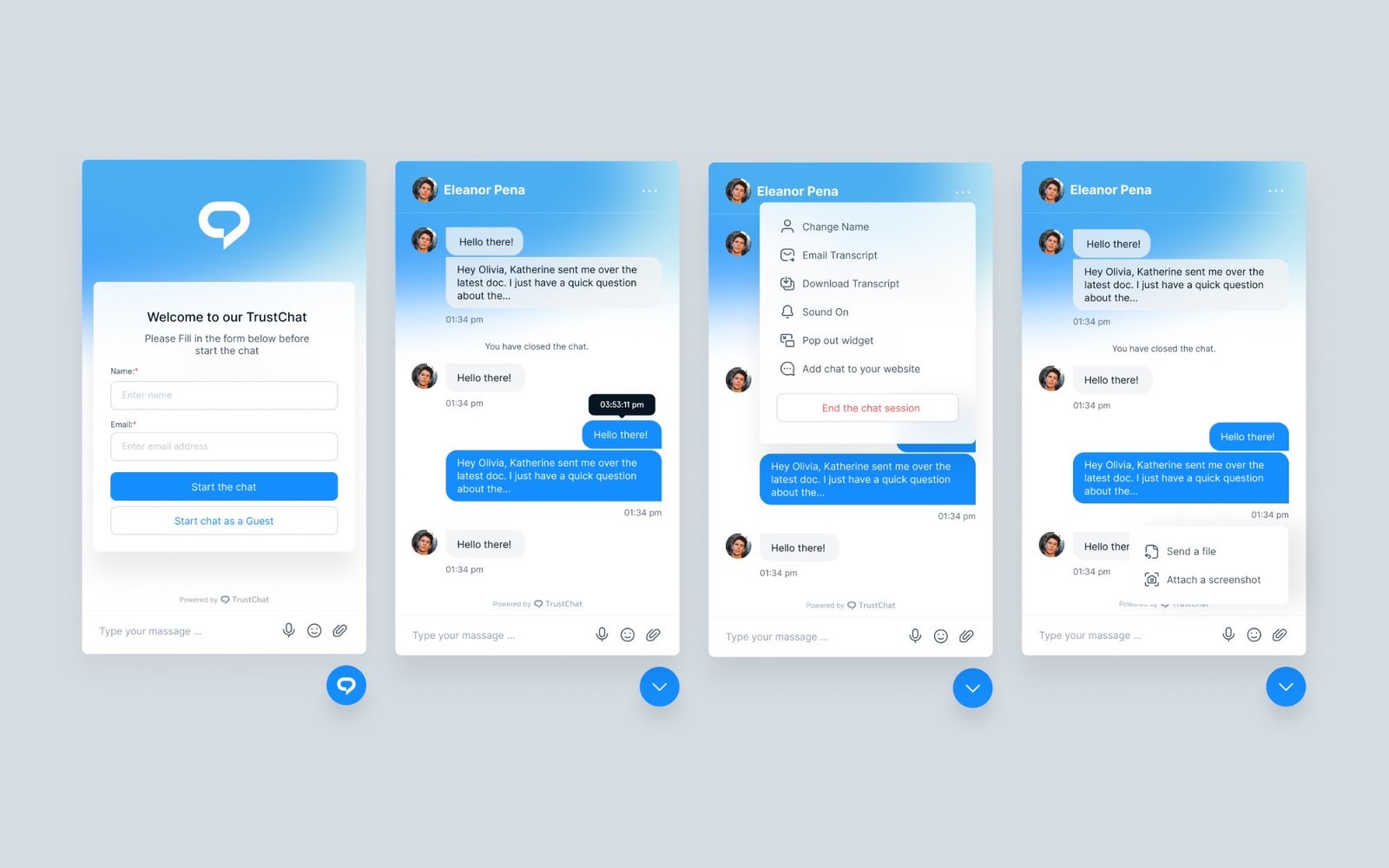
The chat widget lets visitors start a conversation with their details or as a guest, then send files and screenshots, email or download a transcript, or pop the chat out into its own window.
- 02
One Inbox, Full Context
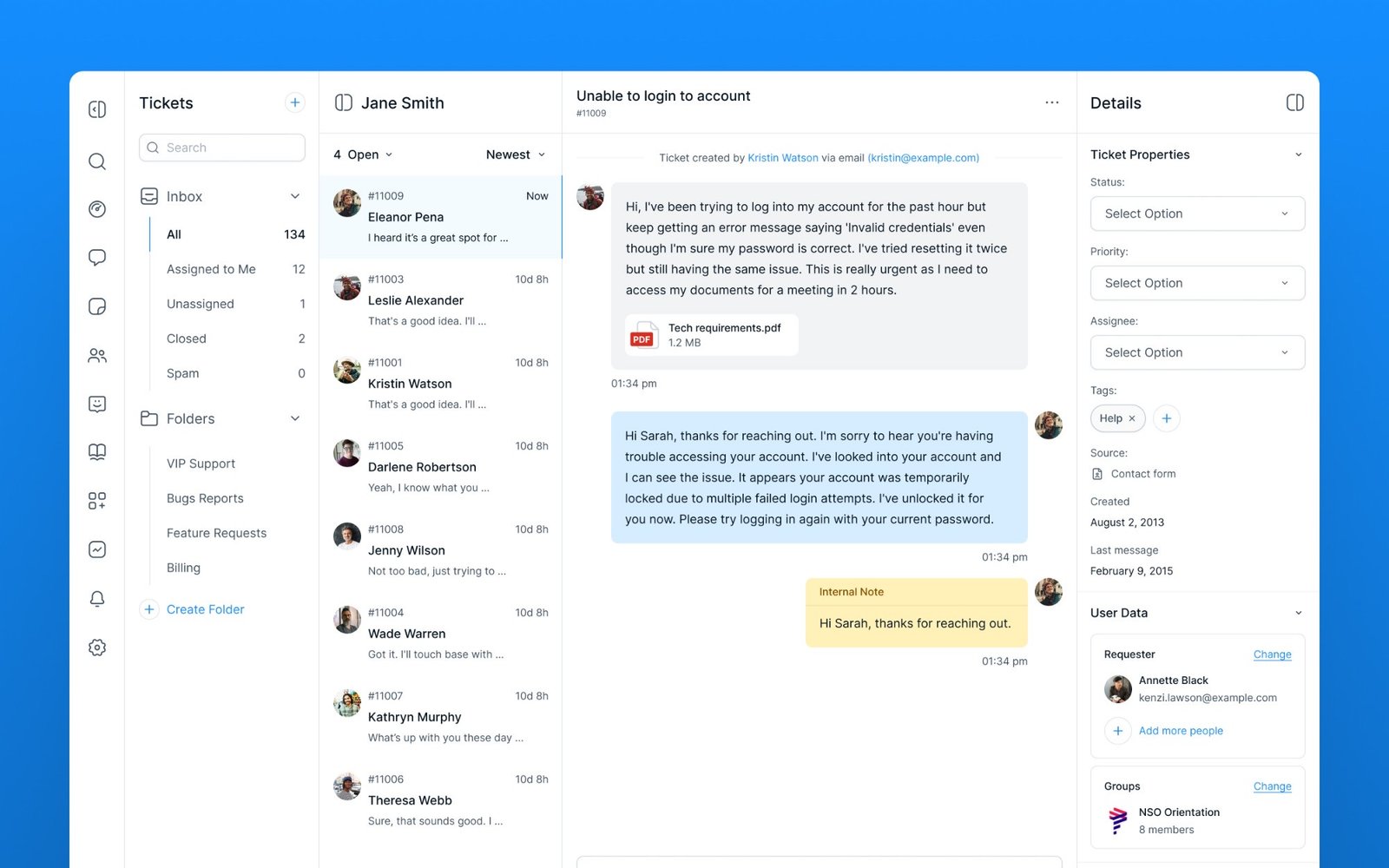
The three-pane Livechat inbox and ticket views keep queues, conversations and details side by side, with channel icons, device, unread counts, typing indicators, internal notes and ticket properties such as status, priority, assignee and tags.
- 03
Built for Managing Teams
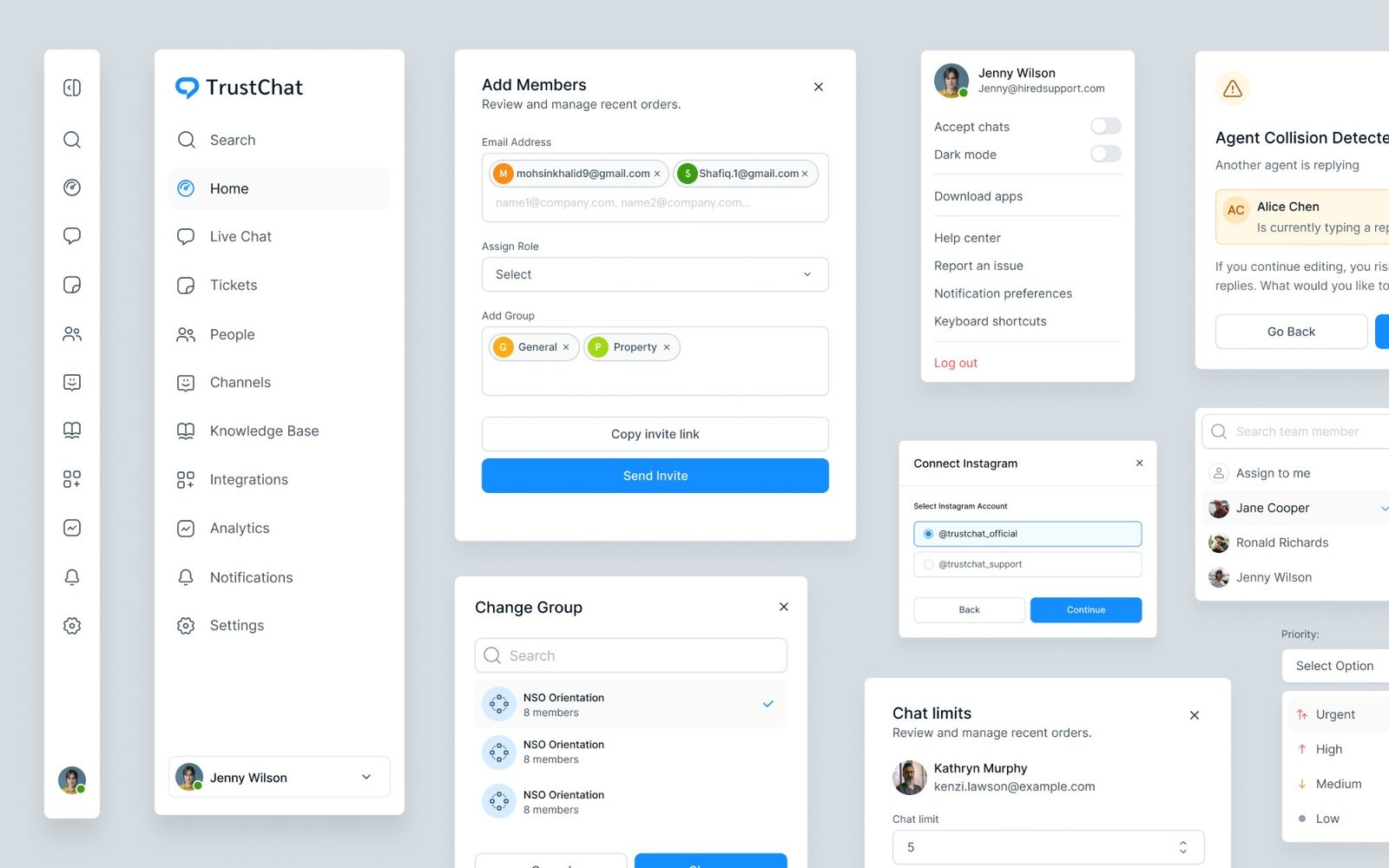
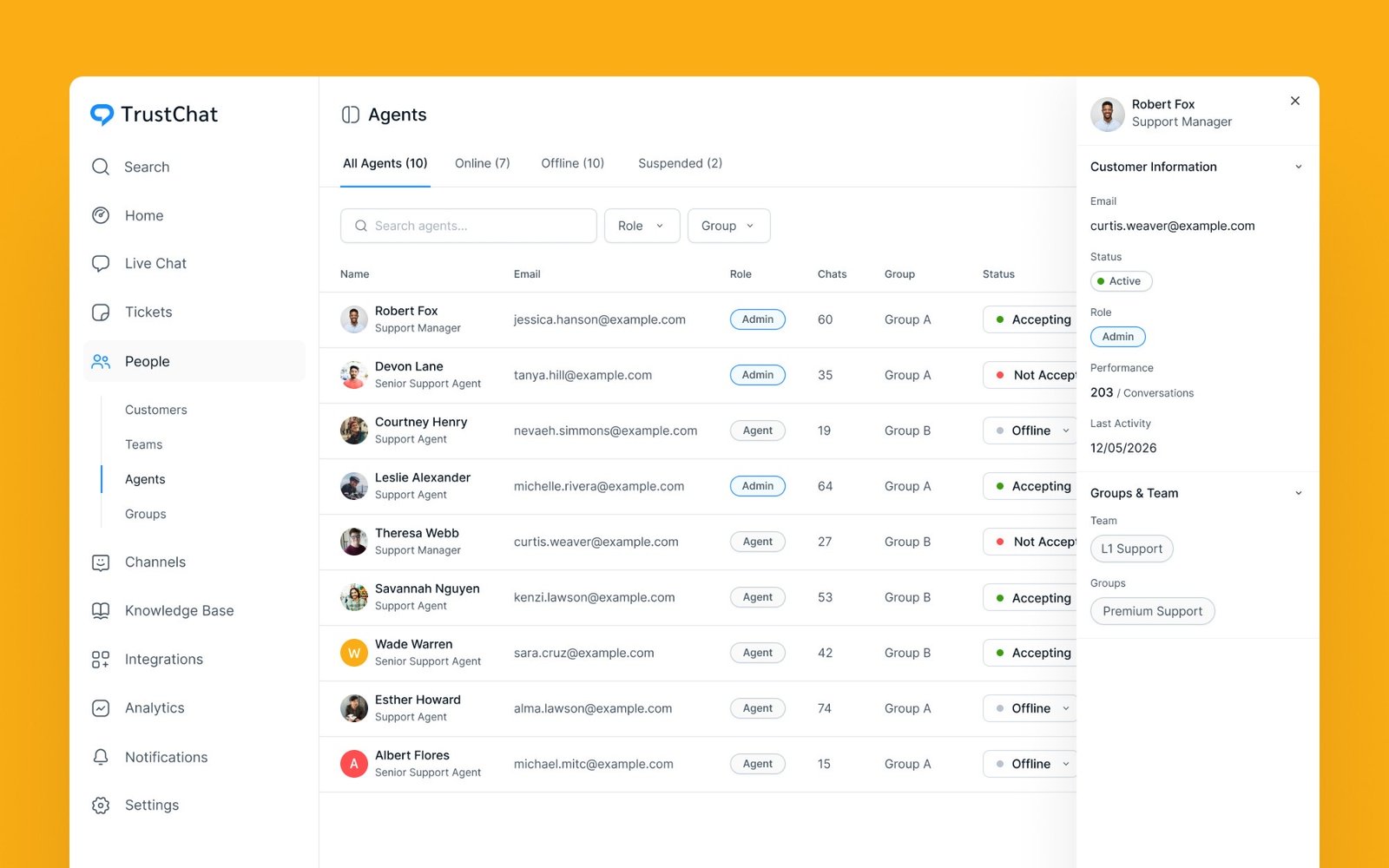
Agent management covers roles, groups, online status and performance, while flows for inviting members, connecting Instagram accounts, setting chat limits and agent collision warnings keep a growing team in sync.
- 04
A Help Center Brands Can Own
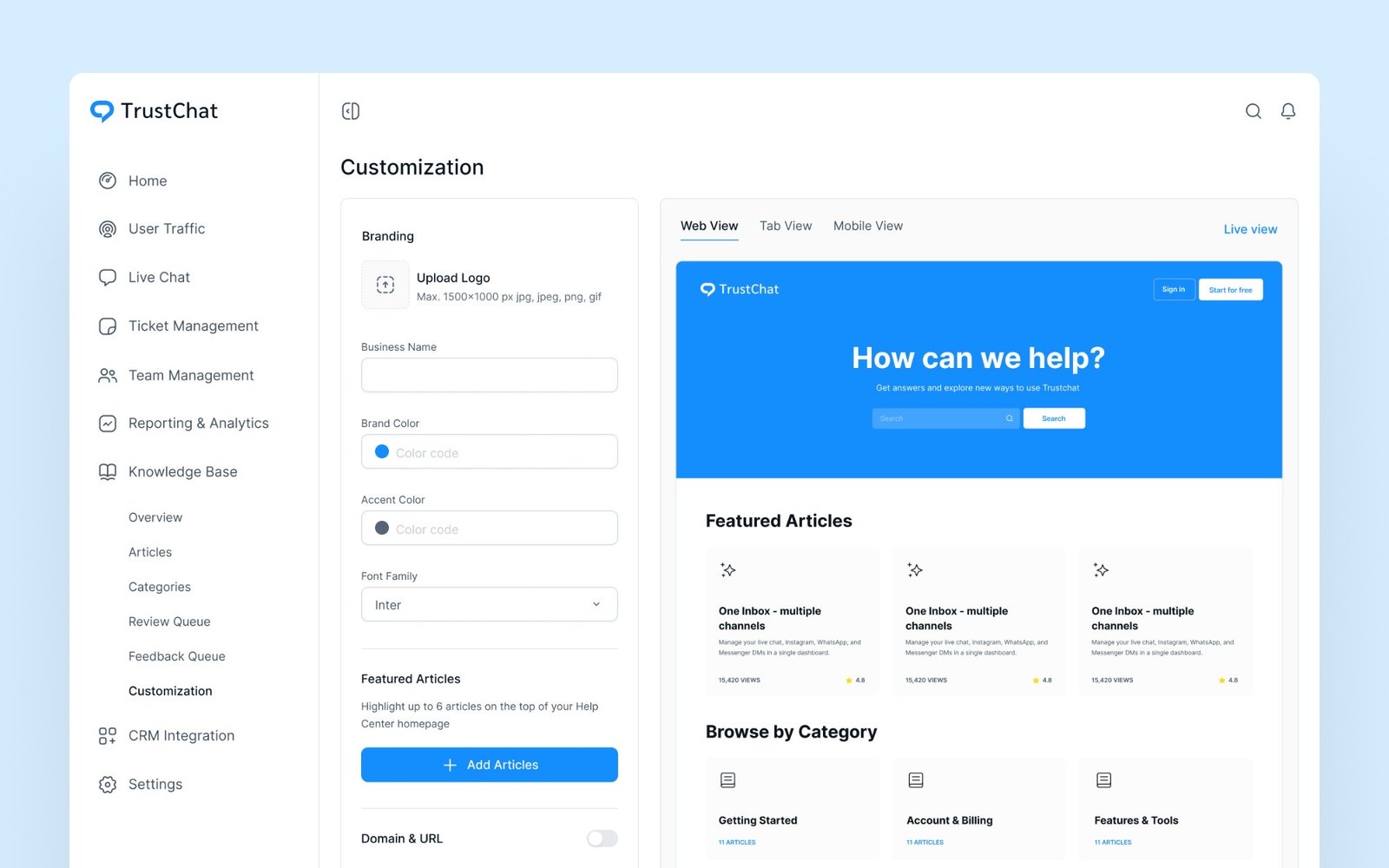
The knowledge base customisation screen lets teams set their logo, brand colours and fonts, choose featured articles and preview the help center on web, tablet and mobile before it goes live.
Keep exploring